

Small Business Technology
Selecting the Best PDA
Small business owners and other entrepreneurs who want to stay informed and organized are increasingly using personal digital assistants, or PDAs, to get on top of their game. Choosing a PDA isn't easy, so we've gather some helpful entrepreneurial advice on selecing the best PDA to meet your needs.
Business leaders are becoming increasingly aware of the benefits of leveraging technology to help them in the important task of running their companies.
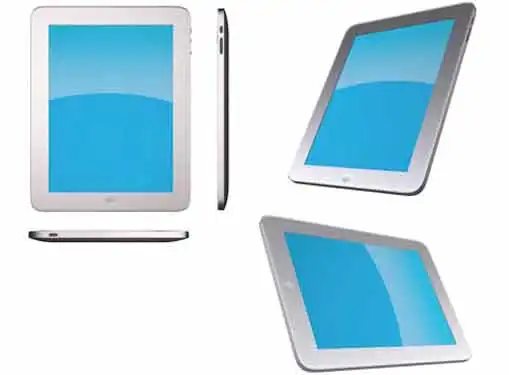
The prevalence of computer technologies in the workplace has given rise to a demand in the business community for greater portability and expanded applications. Technology providers have responded by developing highly mobile, yet powerful devices known as Portable Digital Assistants or PDAs.
PDAs are handheld devices that give users the ability to perform many, if not all, of the tasks he/she would normally perform on a desktop or laptop computer. Although the first generation of PDAs were primarily designed to hold personal calendars and contact information, the current generation is capable of performing a host of functions ranging from word processing to web surfing.
As you might imagine, enhanced capability also comes with an enhanced price tag. Even though selecting the right PDA will largely depend on the specific needs of your business, the trick is to find a PDA that has the appropriate capabilities without going overboard. To do this, you'll need to consider a number of factors:
Platform
The two most common PDA operating systems are Palm and PocketPC (Windows). Each comes with its own advantages and disadvantages.
Palm is the oldest PDA operating system and therefore has a larger catalog of available software applications than PocketPC. Overall they are somewhat easier to use than PocketPC and are slightly less expensive because they require less processing and memory power. The drawback is that Palm products do not have built-in compatibility with MS Office and other Microsoft programs, at least not without the purchase of additional software.
PocketPC is a more recent innovation than Palm, although at this point PocketPC systems have been on the market for several years - more than enough time to work out the kinks. PocketPC systems are designed to integrate with Microsoft applications, making MS Office applications and internet browsing a no-brainer. However, in general PocketPC is a little more difficult to use than Palm. Its added capabilities also require more processing power which makes PocketPC products slightly bulkier and more expensive.
Wi-Fi and Bluetooth
A couple of options worth exploring are Wi-Fi and Bluetooth capabilities. Wi-Fi adaptors give you the ability to connect to the internet via any wireless internet connection. With a Wi-Fi adaptor, you can check e-mail and surf the web at home, at the office, or even the coffee shop - anyplace with wireless internet access.
Bluetooth technology is more commonly found in cell phone technology. A Bluetooth adaptor allows you to easily perform wireless file transfers between your computer and PDA.
Some PDAs come with Wi-Fi and Bluetooth technology built-in and some don't. If you plan to use your PDA for wireless internet connectivity and/or wireless file transfers, make sure the one you purchase has those capabilities.
Mobile Phone Function
The latest generation of PDAs has the added feature of providing mobile phone functions. To do this, you'll need either phone-enabled PDA or a Smartphone. These are available in the Palm Treo series and several models of PocketPC phones. Visit your retailer to learn which (in any) of these options best fits your needs.
Share this article
Additional Resources for Entrepreneurs

Conversation Board
What's your take on selecting the right pda? Have any tips for entrepreneurs on this topic?